Google Business Profile Optimization: A Complete Guide for U.S. Businesses
Google Business Profile optimization is the process of verifying your profile and filling it in accurately so Google can match it to local searches and customers can trust it. The work is concrete: your real business name, the most specific categories, correct hours and address, services and products, real photos, and a steady flow of genuine reviews with replies. Google says local ranking depends on relevance, distance and prominence, and that no one can pay for a better ranking.
| Field | What to enter | Common error |
|---|---|---|
| Business name | Real-world name as on your sign | Adding keywords or a city |
| Address | Real street address, or hidden service area | P.O. box or virtual office |
| Primary category | Most specific match | A broad category such as "Contractor" |
| Additional categories | Only those that truly apply | Ten loosely related categories |
| Hours | Customer-facing hours, plus holidays | Stale holiday hours |
| Phone and website | Answered phone; the most useful landing page | Tracking numbers with no primary number |
| Services and products | Real items with descriptions | Empty or copied from a competitor |
| Photos | Real photos of work, team, exterior | Stock images |
| Reviews | Genuine, recent, replied to | Incentivized or gated reviews |
What is a Google Business Profile and why does it matter?
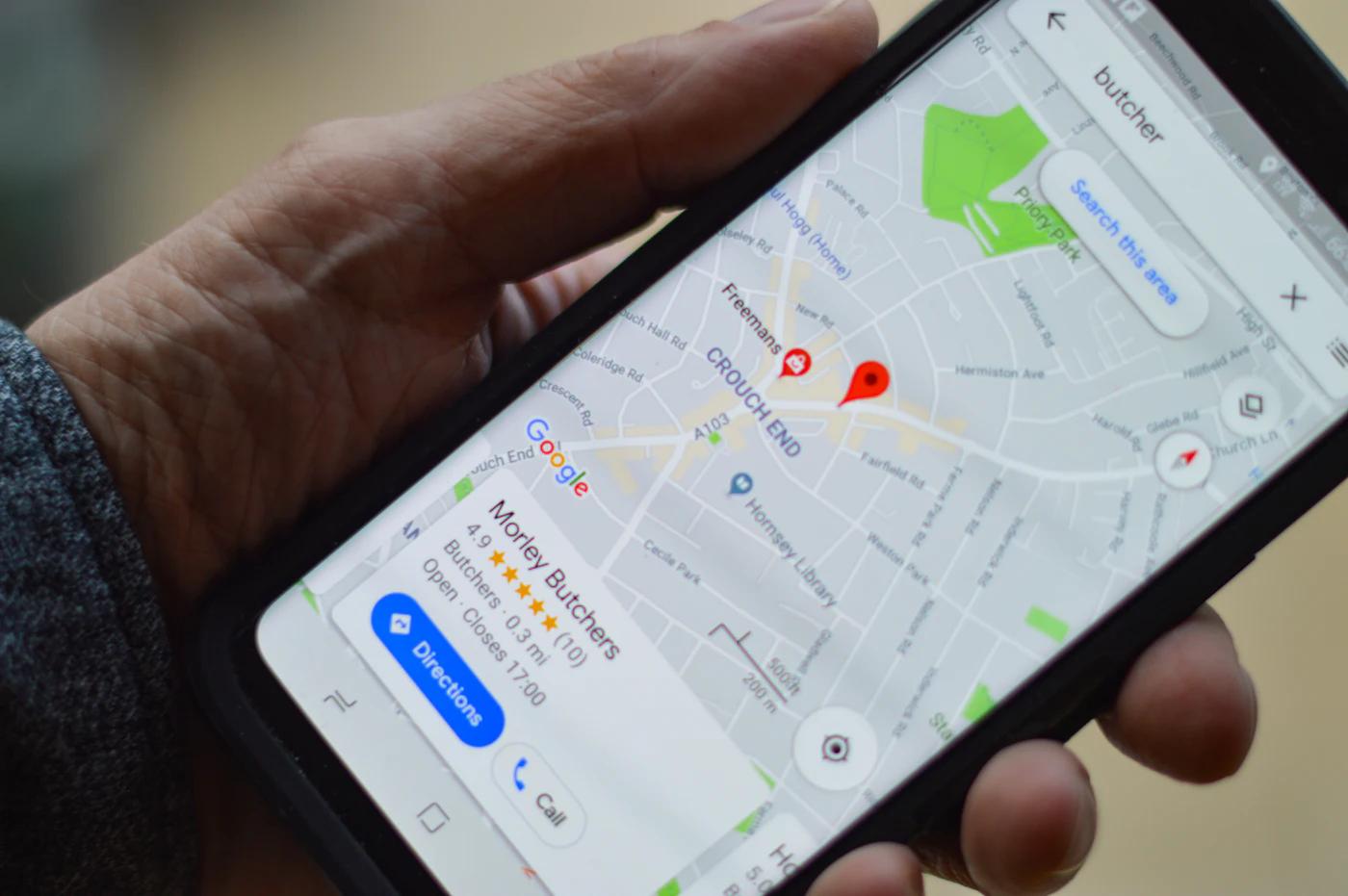
A Google Business Profile is the free listing that controls how your business appears in Google Maps and in the local panel on Google Search. It matters because for many local searches it is the first thing a customer sees, before your website. It shows your name, categories, hours, phone number, photos, reviews, and buttons to call, get directions or visit your website.
Google used to call this Google My Business, and the older name still appears in searches. The product is the same idea with a new name and a manager interface built into Search and Maps.
Local consumers look at more than one platform. BrightLocal's 2026 Local Consumer Review Survey of 1,002 US adults found Google use for local recommendations at 71 percent, down from 83 percent the year before, Apple Maps at 27 percent (up from 14 percent) and ChatGPT and similar AI tools at 45 percent (up from 6 percent). Your Google profile remains central, and because it holds structured, verified business data, it is also a source that other tools tend to rely on. Treat it as your business record for the whole web.
How do you claim and verify your profile?
Search for your business in Google Maps, claim the existing listing if one exists or create one, then verify it. Verification proves you are authorized to manage the business and lets you edit it. Google's verification help lists phone or text, email, live video call and postcard methods, with options depending on your business type.
For the postcard method, Google says most codes arrive within 14 days and codes expire after 30 days. Video verification needs you to show your location, equipment and proof that you manage the business, during business hours, at the physical site. Google says review of submitted information can take up to five business days, and that instant verification is possible when you verify your website through Search Console or use bulk verification.
Check for duplicates before you create anything. Duplicate profiles for the same location split reviews and confuse customers. If a previous owner or employee created the profile, request ownership rather than starting over.
Use a Google Account tied to the business (not one person's personal address), and add at least two owners or managers. Losing access when an employee leaves is a very common problem.

How should you set your business name, address and service area?
Use the name customers see on your sign and invoices, the real street address, and a service area only if you travel to customers. Google's guidelines say your name should reflect your real-world name as used consistently on your storefront and stationery, and they prohibit adding marketing taglines, store codes, phone numbers, URLs and location descriptors.
Keyword stuffing the name ("Joe's Plumbing Best 24 Hour Plumber Austin") is a fast route to suspension. The gain from a stuffed name is not worth losing your profile and its reviews.
For address, Google requires a precise, real location. P.O. boxes and virtual offices are not allowed; co-working spaces need clear signage, customer access during listed hours and staff presence. One profile per location is mandatory.
Service-area businesses (plumbers, cleaners, mobile groomers) can serve customers from a central office. Google says the service area should not extend farther than about two hours of driving time from the base location. If customers do not visit you, hide the address from public view. Do not list dozens of cities you have never worked in.
Which categories should you choose?
Choose the single most specific primary category for your core service, then add only the additional categories that truly describe what you do. Google's guidance is to select the fewest, most specific categories, and to pick categories that finish the sentence "this business is a" rather than "this business has a".
Local SEO practitioners generally treat the primary category as the strongest relevance signal (that is practitioner consensus, not a Google statement), so spend time on it. "Emergency plumber" and "Plumber" and "Drainage service" are different categories with different meanings; look at which ones your top local competitors use. You can see which categories competitors use with a local SEO tool such as BrightLocal or Whitespark.
Do not use categories as keywords, and do not add a category for something you offer only occasionally. If your business truly does two distinct things, add the second category. Review your categories a couple of times a year.
What information should your profile include?
Complete every field that applies and keep it accurate: hours, holiday hours, phone number, website, appointment link, services or products, attributes and a short business description. Google's ranking help says complete, current information helps Google understand and match your business, and the same page tells retailers that showing in-stock products helps local visibility.
Use the description to say what you do, whom you serve and where, in plain sentences. Skip promotional claims and phone numbers. List each service with a short, real description and a price or range if you can. Use the website URL that best matches the intent: a service business may want the homepage, a restaurant may want the menu page, and a multi-location business should link each profile to its own location page.
Attributes (wheelchair accessible entrance, women-led, online appointments, outdoor seating) answer questions before customers ask. Only mark ones that are true. Update hours before every holiday and any temporary closure, because a wrong hours listing turns into one-star reviews.
How do photos and videos help?
Real photos and short videos show customers what to expect and help them trust the profile. Post the exterior (so people can find you), the interior, your team, your products and your work in progress. Google's ranking help lists photos and videos among the ways to make a profile stand out.
Avoid stock images and heavily edited photos. Take pictures with a phone in good light and upload new ones regularly. Follow Google's photo and video content policy to avoid removals.
A simple routine works: every time a job finishes or a new menu item launches, upload two photos. Over a year that is a large, fresh library at nearly no cost.
How do you get more Google reviews the right way?
Ask every satisfied customer soon after the job, send them your direct review link or QR code, and never offer a reward. Google's help page tells owners to remind customers to leave reviews via a link or QR code, and its policy prohibits offering discounts, free goods or payment for reviews and prohibits pressuring customers to review while on the premises. The rules also ban asking staff to solicit a specific number of reviews or specific content.
BrightLocal's 2026 survey shows why the effort pays: 97 percent of consumers read reviews for local businesses, 68 percent will only use a business with four or more stars, and 31 percent require 4.5 stars or more (up from 17 percent in 2025). It also found 74 percent look for reviews from the last three months.
Build reviews into your workflow. Text the link when the invoice is paid. Add the QR code to receipts. Train staff to ask, without pressure, at the end of good service. Do not use review-gating software that only sends happy customers to Google, because Google's policy prohibits selectively soliciting reviews in ways that mislead. The FTC's 2024 rule also bans buying fake reviews and suppressing negative ones through threats.
How should you respond to reviews, including negative ones?
Reply to every review within a couple of days, use the reviewer's name, mention something specific, and keep the tone calm. Google's guidance is to be professional, concise, personalized and timely, and for negative feedback to acknowledge the concern, apologize when warranted, avoid sharing private information and move serious issues offline.
BrightLocal's 2026 data explains why: 80 percent of consumers are likely to use a business that responds to all its reviews, 89 percent expect owners to respond, and 19 percent expect a same-day reply. Half of consumers are unlikely to choose a business that uses generic or templated replies.
For a negative review, a good reply has four parts: thanks, acknowledgment of the specific problem, what you will do and how to reach you. Never argue. Future customers read the reply more closely than the review.
If a review breaks Google's policy (fake, conflict of interest, off-topic, harassment), flag it from your profile and keep records. Do not expect removal for reviews that are merely unfair.
Are posts and product listings worth doing?
Posts and product or service listings are worth doing when you have something specific to say, because they add fresh, useful information to your profile. Use posts for offers, events, seasonal services and news. Add products or services with clear names, photos and prices.
Do not expect posts to change your ranking by themselves. Treat them as content for customers, and keep them short with a clear button. Be skeptical of advice that promises ranking gains from posting frequency; Google's ranking help does not list it.
Google also lets customers message or call from the profile where enabled. If you turn on messaging, commit to reply quickly, or turn it off. A neglected inbox is worse than none.
How do you connect your profile to your website?
Link the profile to a location or service page, and make the page match the profile's name, address, phone number, hours and services. Google looks at both, and consistent information supports trust for customers.
Add LocalBusiness structured data using schema.org on the page. Include name, address, phone, opening hours and geo coordinates. Verify the site in Google Search Console. Make sure the site works well on a phone: Google indexes the mobile version, so the mobile page must carry the same content as the desktop page. Core Web Vitals thresholds are 2.5 seconds for Largest Contentful Paint, 200 milliseconds for Interaction to Next Paint and 0.1 for Cumulative Layout Shift at the 75th percentile of page loads.
Pew Research Center reports that 91 percent of US adults own a smartphone (June 2025 survey), and most of your profile visitors arrive from one. A tappable phone number and a fast page are part of profile optimization in practice.
How do you track profile performance?
Use the performance section of your profile to watch calls, direction requests, website clicks and search terms, and pair it with Google Analytics 4 and Search Console. Set up a UTM tag on the profile website link so the visits appear as a distinct source in GA4.
Track outcomes that matter: booked jobs and revenue from calls and forms. Ask new customers how they found you. Compare month to month over a quarter or more, and note changes you made, such as new photos or a category change. Do not judge in days. Google's SEO Starter Guide says changes can take from hours to months to show.
What causes suspensions and how do you fix them?
Suspensions come from breaking guidelines: a stuffed name, a fake or ineligible address, a virtual office, duplicate listings, prohibited content, or misleading information. Google says it reserves the right to suspend access to profiles that violate guidelines.
If you are suspended, first find the cause. Compare your profile with the guidelines line by line. Fix the issue (restore the true business name, correct the address), gather evidence such as a business license, utility bill, signage photos and a storefront photo, and submit a reinstatement request through the profile. Wait for a reply before making more edits.
Prevention is cheaper. Do not edit your name casually, do not list a home address publicly if you serve customers at theirs, and do not move locations without updating Google first.
The bottom line
Profile optimization is careful housekeeping. Use your real name, precise categories, accurate hours, honest photos and a review process that never crosses Google's rules. Then keep it current. A complete, accurate profile combined with a good website and steady reviews puts you ahead of most local competitors, even though nobody can promise a particular ranking.
Keep reading
- Local SEO for Small Businesses: A Complete U.S. Guide for 2026: local search.
- How to Get Your Local Business Found on Google in the USA: visibility.
- 10 Best Ways Small Businesses in the USA Can Get More Customers Online: channels.
- 10 Common SEO Mistakes U.S. Small Businesses Should Avoid: errors.
- SEO for Service-Based Businesses in the USA: Complete Guide
Sources
- Tips to improve your local ranking, Google Business Profile Help - relevance, distance, prominence, no paid ranking, complete information
- Guidelines for representing your business on Google - name, address, service area, category, suspension rules
- Verify your business, Google Business Profile Help - verification methods and timelines
- Get reviews, Google Business Profile Help - review requests and reply guidance
- Prohibited and restricted content, Google Maps policy - incentivized reviews and gating
- Local Consumer Review Survey 2026, BrightLocal - platform usage, rating, recency and response statistics
- FTC final rule banning fake reviews - fake review prohibitions
- Web Vitals, web.dev - Core Web Vitals thresholds
- Mobile-first indexing, Google Search Central - mobile content parity
- Mobile Fact Sheet, Pew Research Center - 91 percent smartphone ownership
- SEO Starter Guide, Google Search Central - timeline for SEO changes
Frequently asked questions
Is Google Business Profile free?
Yes. Creating, verifying and managing a profile costs nothing. Paid advertising, such as Local Services Ads, is separate and does not change your organic ranking.
How long does it take for optimization to work?
Changes to the profile can show quickly, but ranking changes usually take weeks or longer. Google says SEO changes can take from a few hours to several months to show up.
Can I have a profile if I work from home?
Yes, as a service-area business with your address hidden, provided you serve customers at their locations and stay within about two hours' drive of your base.
Should I pay a company to optimize my profile?
You can do the basics yourself. If you hire help, check their references, keep ownership of the profile, and refuse anyone who sells fake reviews. See how to choose a digital marketing agency.