



Mobile

Mobile applications for government and enterprise.

From citizen-service apps for public programmes to customer and operations apps for enterprises - built for the real conditions of their users, including patchy connectivity and strict security controls.

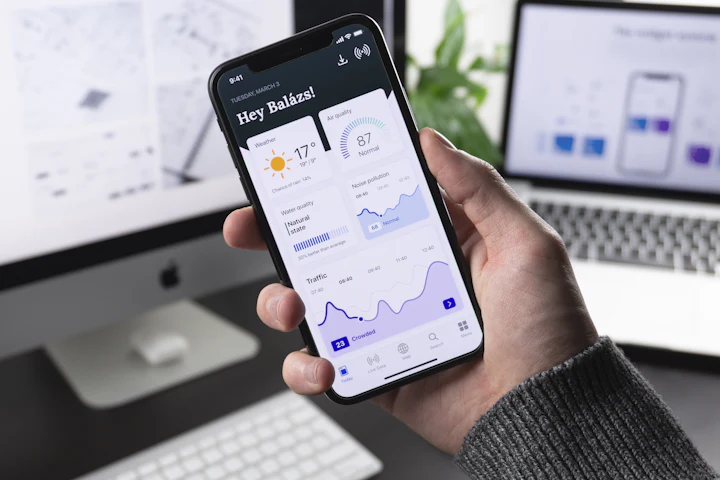
A hand holding a phone that shows an app dashboard
Engineers working around a machine on a factory floor
A person plugging in an electric car at a charging point

What it is

Cross-platform iOS and Android development, connected to your back-end systems, with authentication and data protection appropriate to the sensitivity of the data.

Why it matters

Field staff and citizens do not sit at desks. If the workflow only exists on a desktop portal, the data arrives late - or never.
What we do
  • Custom government mobile applications for citizens and field staff
  • Enterprise and customer-facing mobile apps
  • Cross-platform development for iOS and Android
  • Secure authentication, data protection and access control
  • Integration with back-end platforms and existing systems
  • App maintenance, updates and store management

What you get

Published apps on both stores, offline-tolerant sync where the field requires it, release management, and a support agreement for updates.
Related services

Mobile app delivery

From field workflow to published app

Mobile application development is the design, build and release of iOS and Android apps that connect to an organization's back-end systems. EliteLeadGrow builds cross-platform apps for citizens, field staff and enterprise users, with secure authentication, data protection, offline-tolerant sync where the work demands it, store release management and a support agreement for updates.

Source system
API layer
Validation
Target system

Should the app be native, cross-platform or a web app?

Short answer

Choose cross-platform for most business and field workflows, native for apps that depend heavily on device hardware, and a responsive web app when nobody needs the app stores. The right answer follows from what the app must do on the device, not from preference.

The detail

We build cross-platform apps for iOS and Android. If a responsive website would do the job, we say so, because an app is a long-term commitment to two stores, two sets of review rules and yearly operating system changes.

Three ways to put a workflow on a phone
OptionBest whenTrade-off
Native (separate iOS and Android code)The app relies on advanced camera, sensors, Bluetooth or graphicsTwo codebases to build, test and maintain
Cross-platform (one codebase, both stores)Forms, lists, maps, scanning, notifications and sync make up most of the appA few device-specific features may need extra native code
Responsive web appUsers are mostly online and the job needs no installMore limited offline, hardware and notification support than an installed app

How should a mobile app behave when there is no signal?

Short answer

It should keep working: store what the user does on the device, then send it when a connection returns without losing or duplicating anything. Field workers, inspectors and citizens in low-coverage areas meet dead zones every day, so offline behavior is a design requirement from the first sprint, not a patch.

The detail

Take an inspector filling in a safety form in a basement with no signal. The app saves the form and photos locally, marks them pending and shows the status. When the phone reconnects it uploads in order, and each submission carries a unique ID so a retry cannot create a second record.

  • What data is cached on the device, and how long it stays before it must refresh
  • How conflicts are resolved when two people edit the same record offline: last change wins, merge by field, or flag for review
  • How large uploads such as photos resume after a dropped connection
  • What the user sees: a clear pending, sending or failed state for every item
Existing systemsAPIsDataUsersAudit trailSecurityYour platform

How are mobile apps secured?

Short answer

Security starts from the assumption that a phone can be lost, shared or compromised, so the app protects data on the device and limits what any one session can reach.

  • Sign-in through the organization's identity system, with multi-factor authentication or biometric checks where the data warrants it
  • Short-lived access tokens that can be revoked when a device is lost or a staff member leaves
  • Sensitive data kept in the platform's secure storage (Keychain on iOS, Keystore on Android) and encrypted at rest
  • TLS for all traffic, and no secrets or API keys embedded in the app package
  • Only the permissions the app needs, such as location or camera, requested at the moment of use
Source system
API layer
Validation
Target system

What does it take to get an app into the app stores?

Short answer

You need a developer account on each store, an app that meets Apple's App Store Review Guidelines and Google Play's policies, and accurate privacy disclosures. Review is a real gate, so the schedule should allow for a rejection and a resubmission instead of assuming first-pass approval.

The detail

Apps meant only for staff or a closed group do not have to be public. Apple offers custom app distribution through Apple Business Manager, Google Play supports private apps through managed Google Play, and device management tools can install apps directly. The choice affects security and update speed, so it is made early.

Register the Apple Developer and Google Play accounts in your organization's name, not an individual's. Apple's organization enrollment needs a D-U-N-S number and verification, and Google Play verifies organization accounts too. Both take time, so start before development ends.

Existing systemsAPIsDataUsersAudit trailSecurityYour platform

What happens after the app is released?

Short answer

Release is the start of maintenance. Apple and Google ship new operating system versions every year, and apps need testing and sometimes changes to keep working, so a support agreement for updates is part of the plan, not an optional extra.

  • Crash and error monitoring, so problems show up before the store reviews do
  • Staged rollouts that send an update to a small share of users first
  • A minimum supported version and a forced-update mechanism for security fixes
  • Versioned back-end APIs, so older app versions keep working while users update
Source system
API layer
Validation
Target system

How an app project runs

  1. Define users and conditions

    Who uses it, where, on which devices and with what connectivity. These answers shape every later decision.

  2. Prototype and test

    A clickable prototype goes to real users before development, when changing it is cheap.

  3. Build and integrate

    A cross-platform build connected to your back-end systems, with security and offline behavior tested.

  4. Release and support

    Store submission, staged rollout, monitoring and a support agreement for updates.

Questions

Mobile app questions

Yes. We build cross-platform apps that ship to both stores from one codebase. Where an app depends heavily on specific device hardware, we say so early and discuss whether native code is needed for that part.

Yes, where the field requires it. The app stores work on the device and syncs when a connection returns. We decide in advance what is cached, how conflicts are resolved and how the user sees the sync status.

It depends on the scope, the integrations and store review. Scoping sets the plan, and the schedule allows for review time and possible resubmission. A smaller first release usually reaches users sooner and teaches more than a large one.

Yes. Integration with back-end platforms and existing systems is part of the work. If those systems lack a usable API, an interface may need to be built first, which scoping identifies. See systems integration for how that is done.

Yes. Private distribution options exist on both platforms, including custom apps through Apple Business Manager, private apps through managed Google Play and installation through device management tools. We recommend one based on your security needs and how fast updates must reach staff.

You should. Store accounts, signing keys and source code belong in your organization's name. Losing a signing key or an account tied to a former employee can block future updates, so we set ownership up correctly at the start.

Ongoing costs are store fees, back-end hosting, monitoring and developer time for operating system updates and fixes. A support agreement sets the scope in writing, so there are no surprises when a new iOS or Android version arrives.

Keep reading

App scoping

Plan the app launch

Tell us who uses the app, where, and which systems it must reach. We outline the platform choice, the offline needs and the release plan.